Spin Without Spending a Fortune: Building Your First DJ Setup on a Real-World Budget
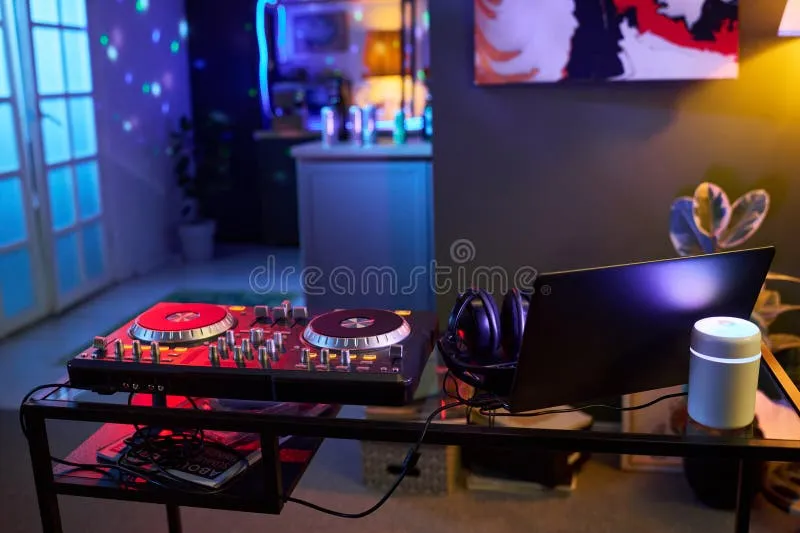
Photo: home DJ setup controller laptop headphones bedroom studio, via thumbs.dreamstime.com
Every DJ you've ever watched tear up a dance floor started somewhere. And that somewhere — more often than not — was a cramped bedroom, a secondhand controller plugged into a laptop with a cracked screen, and a pair of headphones that had no business being used for music production. The gear doesn't make the DJ. But having the right gear for where you are in your journey makes a massive difference in how fast you learn and how much fun you have along the way.
If you've been thinking about getting into DJing but keep putting it off because you assume it requires a serious financial commitment, this guide is for you. We're breaking down exactly what you need at each stage of the journey — from absolute zero to "hey, I just got booked at a local bar" — with real numbers, real recommendations, and real stories from people who've done it.
First, Let's Kill the Gear Myth
The biggest misconception in the beginner DJ world is that professional-sounding mixes require professional-grade equipment. They don't. Modern DJ software is genuinely remarkable, and a $300 controller running the right software can produce mixes that are indistinguishable from what's being played in mid-tier clubs.
What separates good DJs from great ones is ears, timing, and music selection — none of which cost anything. The gear is just the vehicle. You're the driver. So let's get you a vehicle that runs.
Tier 1: The Starter Kit (Under $300 Total)
This is your proof-of-concept setup. It's enough to learn the fundamentals, develop your ear for mixing, and figure out whether DJing is something you actually want to pursue seriously.
Software: DJ.Studio, Mixxx, or Virtual DJ (Free Options)
Before you buy a single piece of hardware, download a free DJ software trial and spend a week just learning the interface. Mixxx is completely free and open-source, making it an excellent starting point. Virtual DJ offers a free version with enough features to learn the basics. Getting comfortable with software before adding hardware will accelerate your learning significantly.
Controller: Pioneer DJ DDJ-FLX4 or Hercules DJControl Inpulse 300
Both land around $250–$300 and offer two-channel mixing with jog wheels, EQ controls, and loop functions. The DDJ-FLX4 integrates natively with Rekordbox (Pioneer's free DJ software), which is an industry standard — meaning the layout you learn on this controller is essentially the same layout you'll find on professional club equipment. That muscle memory is genuinely valuable.
Headphones: Audio-Technica ATH-M20x (~$50)
You need closed-back headphones for cueing tracks. The M20x isn't glamorous, but it's accurate, durable, and won't embarrass you. Avoid Beats and any headphones primarily marketed for consumer listening — you need flat response, not bass-boosted coloring.
Total: Roughly $300–$350. That's it. You're mixing.
Tier 2: The Serious Hobbyist Setup ($500–$900)
Once you've been mixing consistently for three to six months and you're ready to take things up a notch, this is where to reinvest.
Upgrade Your Controller or Go Standalone
The Pioneer DDJ-400 or Native Instruments Traktor Kontrol S2 MK3 both sit in the $400–$500 range and offer noticeably better build quality, more responsive jog wheels, and deeper software integration. If you're serious about learning Serato — the software of choice at most US clubs — the Rane One controller (around $700) is worth the stretch. It's a professional-grade piece of kit that happens to be accessible to beginners.
Audio Interface and Monitors
If you're starting to produce music alongside your DJing (a natural evolution for many), a basic audio interface like the Focusrite Scarlett Solo ($120) opens up a whole new world. Pair it with a set of KRK Rokit 5 studio monitors ($300 for the pair) and your home setup suddenly sounds like a proper studio.
The Turntable Question
Everyone asks this. Should you learn on vinyl? The honest answer: probably not, at least not right now.
Vinyl DJing is a beautiful art form with a rich cultural history — it's the foundation that everything else was built on. But it's also expensive (turntables, needles, and records add up fast), technically demanding, and increasingly impractical for most modern club environments. Unless you're specifically drawn to vinyl culture or planning to play genres where vinyl is expected (classic house, deep techno, hip-hop), start with a controller and come back to turntables later if the interest is there.
That said, if you are drawn to it, a pair of Audio-Technica AT-LP120-USB turntables ($150 each) with a budget mixer like the Pioneer DJM-250MK2 ($300) is a totally viable entry point into the vinyl world.
The Software Deep Dive
Your software choice matters more than most beginners realize, because switching platforms later means relearning workflows and potentially re-organizing your entire music library.
- Rekordbox (Pioneer): Free tier is solid. If you're planning to play at clubs that run Pioneer setups (which is most of them), this is the logical choice. Your prepared tracks and cue points transfer directly to club CDJs.
- Serato DJ Lite/Pro: The industry standard in the US for a reason. Serato is stable, well-supported, and used by a huge percentage of working DJs. The Lite version is free with supported hardware.
- Traktor Pro (Native Instruments): Beloved by techno and electronic music purists. The effects engine is exceptional. Slightly steeper learning curve but deeply rewarding.
- Ableton Live: Not a traditional DJ tool, but increasingly used by producers who also perform live. If you're interested in blurring the line between DJing and live production, Ableton is worth exploring.
Real Talk: Bedroom DJs Who Made It Work
Jordan K., now holding a Thursday residency at a mid-size venue in Denver, started with a $200 controller and a laptop he already owned for college. "I spent the first six months just mixing in my room, recording sets, and listening back to them brutally honestly. I didn't spend another dollar on gear for almost a year. By the time I did upgrade, I knew exactly what I needed and why."
Similarly, LA-based DJ Camila R. credits free software with keeping her in the game during her broke early twenties. "Mixxx was genuinely good enough to learn on. I didn't upgrade to Serato until a bar owner asked me to play a set and I realized I needed to look professional. Even then, I bought a used controller off Facebook Marketplace for $150."
The through-line in both stories: patience, practice, and not treating gear as a substitute for putting in the hours.
Acoustic Treatment: The Overlooked Upgrade
If you're mixing in a bedroom or small apartment, your room's acoustics are affecting how you perceive sound more than you probably realize. Before you spend money on better speakers, consider hanging some moving blankets or budget acoustic foam panels on your walls. A $50 investment in basic room treatment can make your $300 monitors sound dramatically better.
Where to Learn (Without Paying for a Course)
YouTube is genuinely excellent for DJ education right now. Channels like DJ TechTools, Crossfader, and PointBlank Music School offer free tutorials that cover everything from basic beatmatching to advanced harmonic mixing. Reddit's r/DJs community is also an invaluable resource for gear questions, troubleshooting, and honest feedback on beginner mixes.
The Bottom Line
You can start mixing today for under $300. You can build a setup that'll take you to local gigs for under $700. And you can do all of it without going into debt or convincing yourself you need to wait until you can afford the "real" gear.
The dance floor doesn't care what controller you used. It cares whether the energy is right and the mix is clean. Go build that.